



Find any contract – instantly
Smart OCR and typo-tolerant logic deliver fast, accurate results with zero setup.
Trusted by over 10000 happy users




















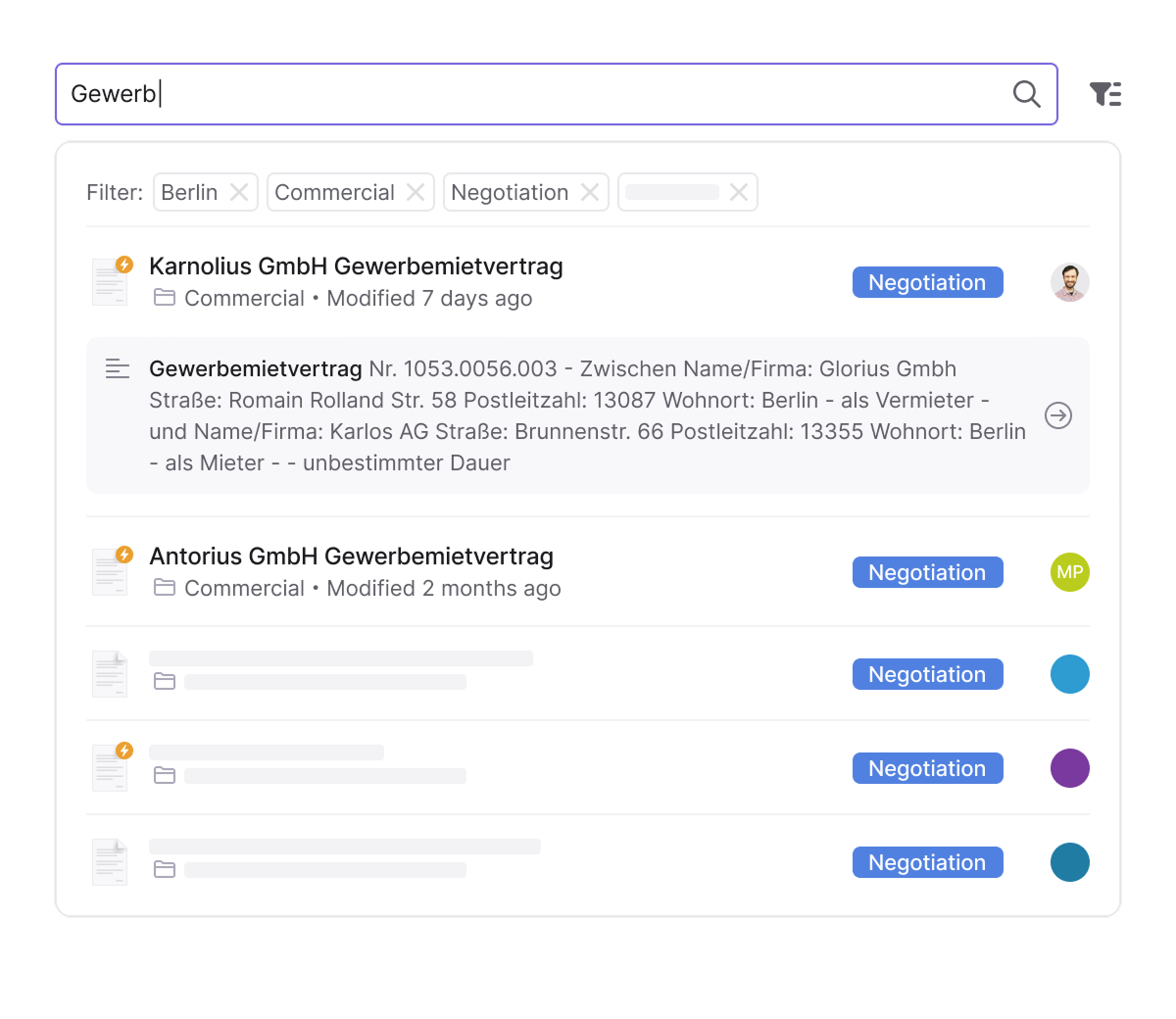
Search everything — even what others can’t find
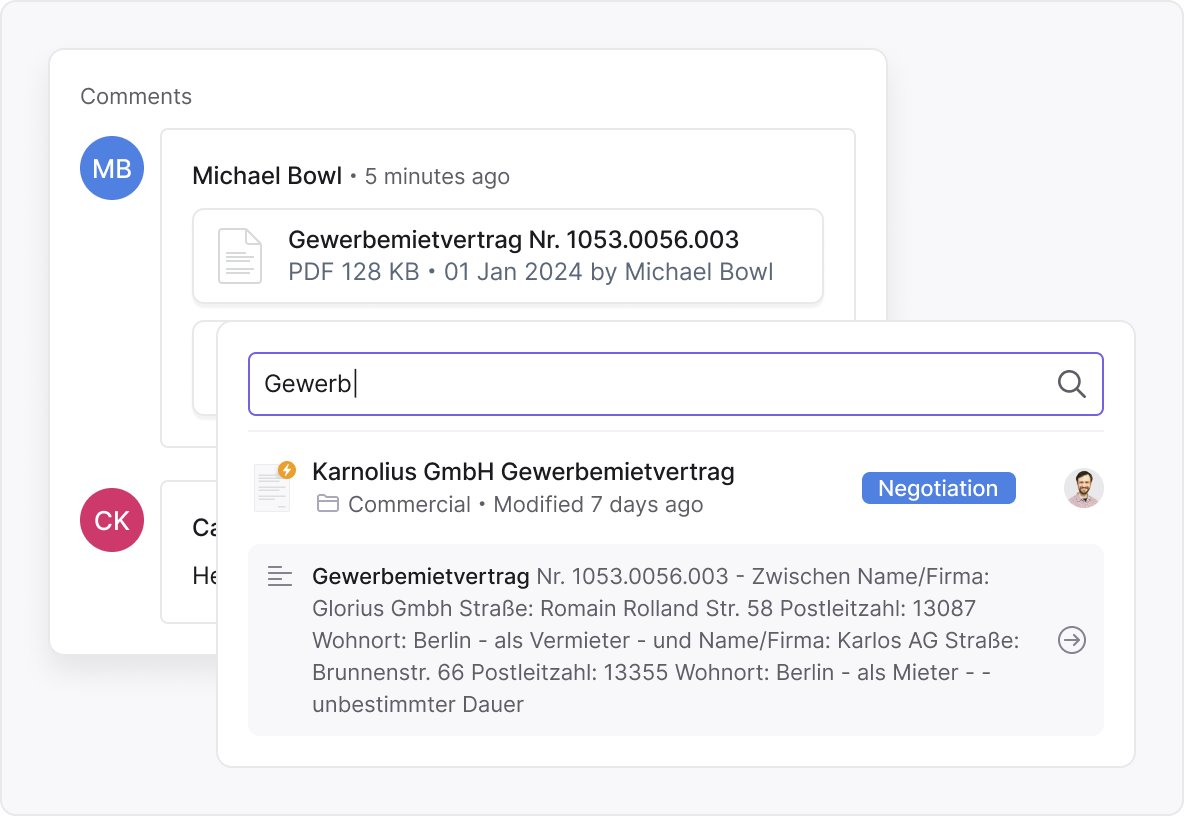
See results in context — no file-opening marathon
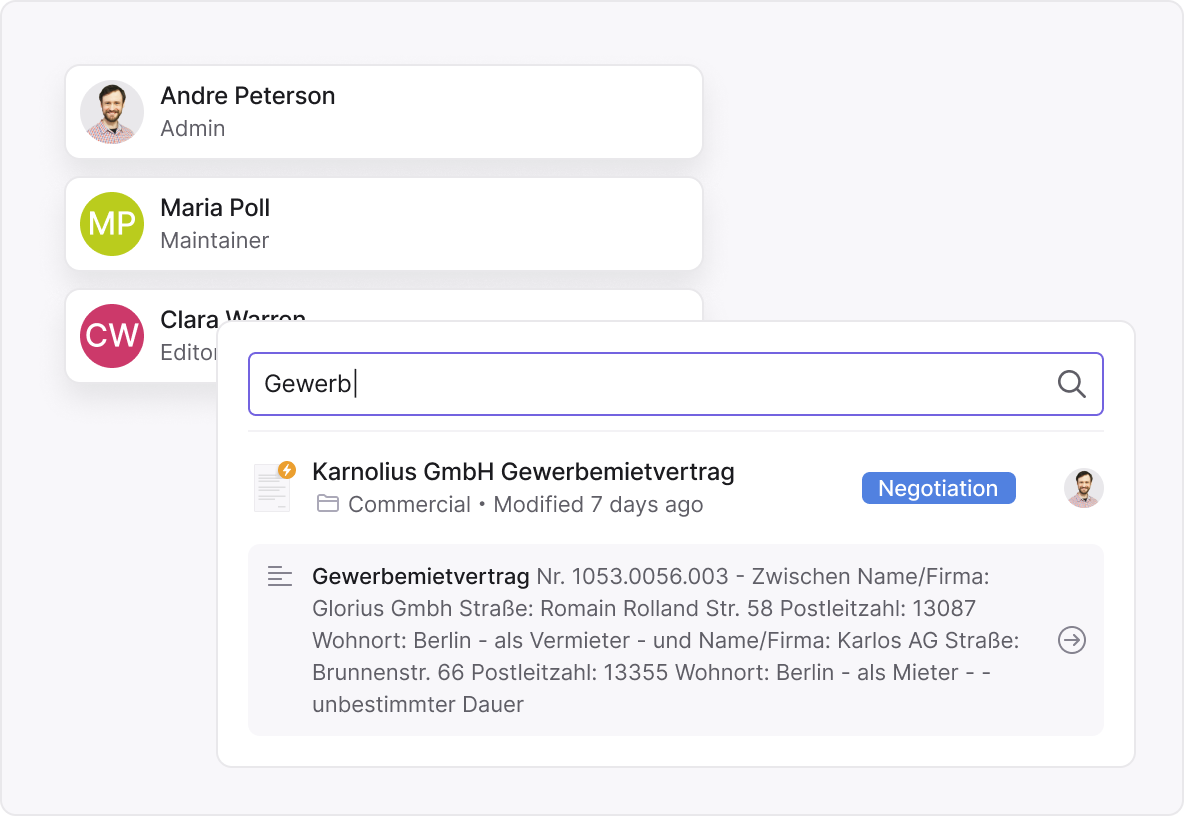
Instant answers for every team
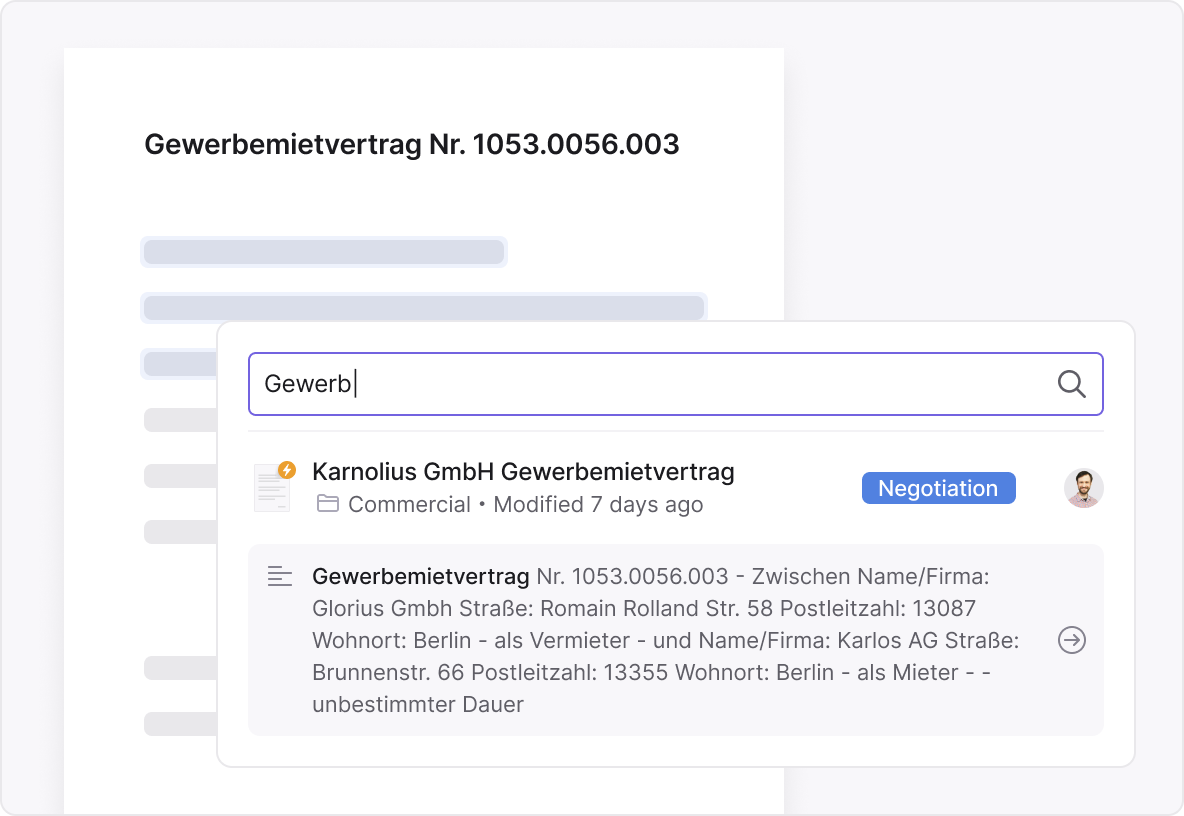
Search by meaning — not just exact words
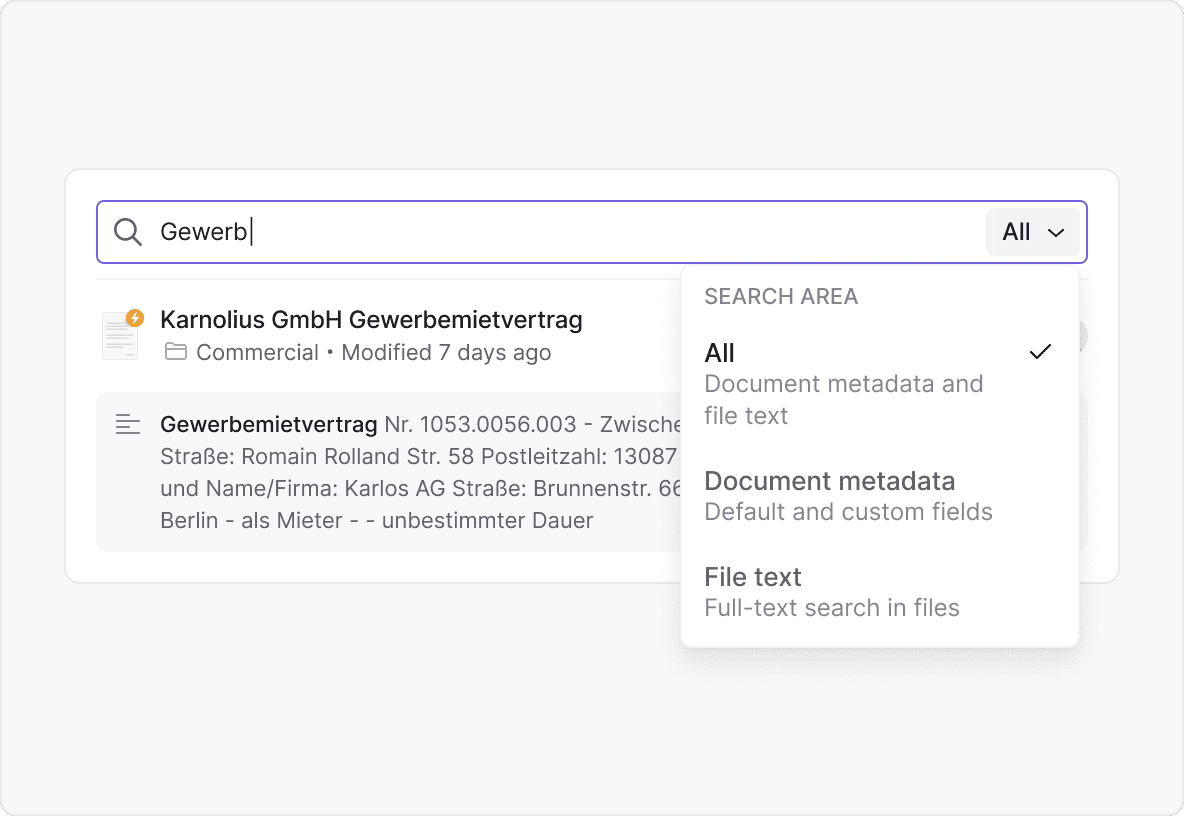
What makes Inhubber’s full text search smart and reliable


Reale Ergebnisse mit intelligenter Suche
“Powerfully simple”
 Automatic deadline monitoring is a real game changer for us. We used to manage deadlines manually in Excel spreadsheets, which was naturally error-prone. Now Inhubber ensures that we are notified in a timely manner about upcoming termination periods. This has already saved us from unnecessary costs.
 Especially in the logistics sector, many contracts are long and complex. With the AI summary, I can understand a 40-page contract in just a few sentences. This saves an incredible amount of time. When I log in in the morning, I immediately see upcoming deadlines, tasks, and signature requests. That way, I know right away what I need to focus on. It used to be much more unclear.
 Inhubber has fundamentally changed the way we handle our contracts by providing a user-friendly and efficient platform that ensures complete transparency. This change has led to significant time savings, particularly through improved organization and accessibility of data. In the financial sector, it is especially useful as it helps keep track of costs and deadlines, making it an essential tool for our sustainable growth.

 Thanks to Inhubber, it is now much easier and faster to rent out apartments, and I can even rent them out across the country without having to be there.

 Before we introduced Inhubber, we missed termination deadlines several times simply because no one remembered that the contract still existed and needed to be cancelled. This led to unnecessary costs that we wanted to avoid. With Inhubber, we can now be confident that this will no longer happen.

 The advantages I see with Inhubber are, firstly, usability, meaning it’s easy to use for our team members and business partners. The second major advantage I see with Inhubber is the whole issue of data security, data availability, and more.

 After evaluating several software solutions, we chose Inhubber – not only because it offers a web-based solution that’s accessible from anywhere, but also because of the flexibility in structuring contracts. We wanted the option of storing our contracts in clearly structured categories and areas that perfectly fit our organization.

 Inhubber was the perfect solution for our family-owned business.
We now have a complete overview of all contracts — structured by business units and contract types. Relevant documents are always easy to find, deadlines are automatically tracked, and nothing gets lost anymore.
What impressed us most was the 100% transparency, the ease of use, and the automatic identification of contract risks. Manual effort has been significantly reduced — we save around 80% of the time compared to before.
Inhubber has sustainably professionalized and simplified our contract management.
Inhubber was the perfect solution for our family-owned business.
We now have a complete overview of all contracts — structured by business units and contract types. Relevant documents are always easy to find, deadlines are automatically tracked, and nothing gets lost anymore.
What impressed us most was the 100% transparency, the ease of use, and the automatic identification of contract risks. Manual effort has been significantly reduced — we save around 80% of the time compared to before.
Inhubber has sustainably professionalized and simplified our contract management.


Award winning CLM software












FAQ
Inhubber automatically indexes every document the moment it’s uploaded — no tagging, setup, or configuration needed.
Our advanced OCR technology makes even scanned PDFs and legacy files fully searchable.
You simply type what you’re looking for, and Inhubber finds it instantly — across contracts, attachments, and archived versions.
It’s search that understands both your words and your intent.
Yes. Inhubber’s Smart OCR (Optical Character Recognition) reads scanned PDFs, images, and even handwritten content with high accuracy.
Old paper contracts or photographed agreements become searchable just like digital files.
This feature is especially useful for organizations with large archives or legacy records.
Every document, no matter how old or formatted, is instantly searchable.
Typo-tolerant search means Inhubber finds results even if your query contains misspellings or alternate spellings.
For example, searching for “Muller AG” will still return results for “Müller AG.”
This feature helps eliminate missed results caused by OCR errors, different language inputs, or keyboard mistakes.
It ensures you always get accurate and complete search outcomes — even when your input isn’t perfect.
Absolutely. Inhubber’s full text search spans all folders, workspaces, and permission-based collections.
You don’t need to remember where a document is stored — the system searches everything you have access to.
This is ideal for large organizations managing thousands of documents across departments.
Results appear in one unified view, with full visibility and no duplicates.
Inhubber goes far beyond filenames.
It indexes the entire content of your documents — including clauses, attachments, footers, and even historical versions.
So whether you’re searching for a specific term in a clause or a reference hidden in an annex, Inhubber finds it.
This depth ensures you never miss critical information buried inside long or complex files.
Extremely fast. Inhubber delivers search results in milliseconds, even with tens of thousands of files.
Our search engine is optimized for enterprise use, scaling seamlessly without delays.
Whether your workspace holds 500 or 50,000 documents, performance stays constant.
You get instant clarity — no waiting, no lag, no frustration.
Yes. Each result preview includes keyword highlights and surrounding context from the document.
You can quickly compare clauses, see differences, and identify the right file without opening multiple documents.
This saves enormous time during reviews and negotiations.
It’s like seeing inside the document — before you even click.
No technical training is required.
Inhubber’s search works intuitively for all users — from legal and procurement teams to HR and finance.
You simply type a word or phrase, and the platform does the rest.
There’s no need for Boolean syntax or complex filters — just natural language and instant answers.
Inhubber respects all role-based permissions and data access policies.
Users only see results for documents they’re authorized to access.
This ensures full compliance with GDPR and internal security protocols.
Search remains powerful — but always privacy-safe and access-controlled.
By eliminating manual searches and version confusion, Inhubber saves teams up to 70% of document retrieval time.
It reduces human error, ensures that the latest version is always found, and simplifies audits and legal reviews.
You can instantly locate key clauses, obligations, or risks — instead of digging through folders.
The result is faster workflows, better compliance, and fewer costly mistakes.
Yes. Inhubber searches entire contracts, attachments, annexes, and multi-part documents — regardless of length or format. Even older, heavily edited, or scanned files are fully indexed.
Yes. You can filter results by folders, document owners, teams, or specific time ranges. Combine free-text search with structured metadata to find the right information even faster.
Inhubber indexes all common contract and office formats, including:
-
PDF (native & scanned)
-
Word (.doc, .docx)
-
Excel (.xls, .xlsx)
-
PowerPoint (.ppt, .pptx)
-
OpenOffice / LibreOffice (odt, ods, odp)
-
Image formats (JPG, PNG, TIFF) — via OCR
-
Text formats (TXT, RTF, CSV)
-
Emails & email attachments (eml, msg, pdf, docx, etc.)
-
Secured or signed PDFs (as long as they are readable)
This means virtually everything used as contract material in organizations becomes fully searchable.
Yes. You can connect search results with AI analysis — for example, to flag risks, detect deadlines, or identify missing clauses — and automatically generate tasks from them.
This creates a seamless workflow: find → analyze → create task.