In most companies, the problem stopped being a lack of places to put documents a long time ago. If anything, there are too many.
Some files sit on the shared drive, some in the cloud, several versions of the same contract turn up in someone’s inbox, and the final version sometimes exists only on the laptop of whoever was last involved in the approval.
As long as the volume stays manageable, that can work. But growth brings more people, more departments, more external partners, and more confidential information. At that point the question is no longer “Where do I save the file?” but:
Who should get access? Who needs to review it? Which version is current? Who has already approved it? Does it still need a signature? And in six months, will anyone be able to reconstruct what happened at each step?
This is exactly where a document portal becomes more useful than plain file storage.
It creates a secure environment where documents don’t just sit there, but become part of a process you can actually steer: they can be shared with the right people, reviewed, approved, signed — and the history of every action stays intact.
What a document portal actually is
A document portal is a secure digital environment that a company uses to centrally provide, organize, and make documents accessible to specific groups of users.
Those users can be your own employees as well as external parties:
- Clients
- Suppliers
- Consultants
- Auditors
- Service partners
- Contractors
- Representatives of other group companies
Here’s the decisive difference from an ordinary cloud drive: a document here isn’t just a file.
Work can happen around it.
An example: someone in Legal uploads a contract. Finance gets the task of reviewing the commercial terms. Management approves. The external contracting party gets access only to the version intended for them. After that, the document goes into the electronic signature flow.
All of those actions stay connected to one shared document context.
So nobody has to hunt down the file first, then the email with the comments on it, then the message with the approval, and finally yet another system holding the signed version.
How a document portal works in practice
A typical flow starts with a document becoming available in a secure digital environment.
But that’s not where the work ends.
Let’s say a company is preparing a supplier contract.
First the document goes into the portal. Only the people involved in the process get access. Legal reviews the terms. Finance assesses the payment obligations. A responsible person is assigned the task of incorporating the changes.
Once the update is done, the approval process begins. When all mandatory reviews are complete, the contract can move into electronic signature.
And when the question comes up later — why was this particular version chosen, who approved that specific clause — the history is still right there.
Instead of this chain:
download → send by email → collect comments → create a new version → send it again → search for the confirmation → open a separate signature tool
the process becomes far more self-contained:
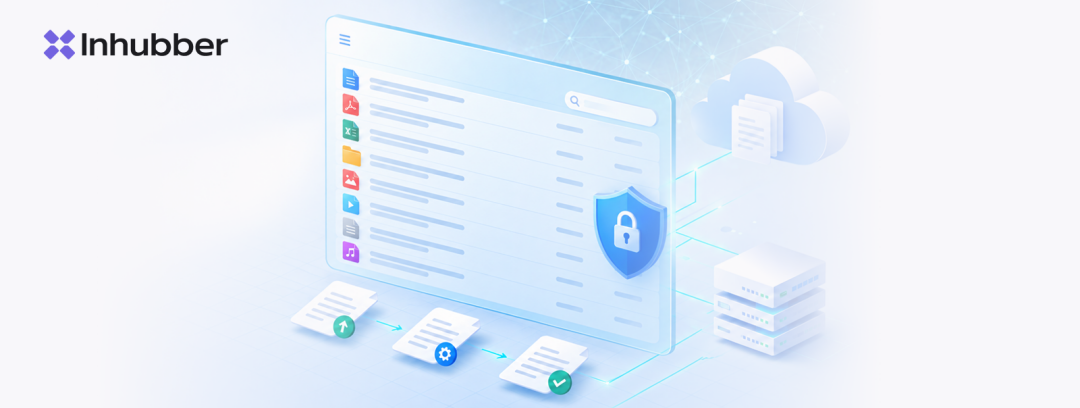
provide → review → approve → sign → keep the history
That’s the approach that separates a modern document portal from an ordinary shared drive.
Which features actually matter in a modern document portal
A nice interface with folders doesn’t make a system a good document portal.
The practical value comes from the features that help with the work happening around documents.
Centralized document access
Everyone involved should be able to access the current materials in one place.
That cuts the dependency on email and reduces the number of copies of one and the same document.
It matters most as soon as external parties are involved. Instead of sending the next attachment, the company grants access to a specific document or area.
When something changes, there’s no need to send a new file out to everyone all over again.
Flexible access management
Not every user needs to see every document.
An external consultant might only get access to the materials for one specific project. A supplier only to the documents relating to their contract. Finance gets access to the commercial terms, but not necessarily to the company’s entire documentation.
That’s why a modern document portal should support granular permissions.
With confidential contracts, financial documents, personal data, and internal agreements, this is especially relevant.
Search, metadata, and filters
A document shouldn’t go “missing” simply because nobody remembers the exact file name.
Full-text search, metadata, and filters make information findable by contracting party, document type, responsible person, date, project, or other criteria.
The larger the document base grows, the more this matters.
A structure made of hundreds of folders usually only works for the people who built it themselves.
Digital reviews and approvals
Many documents need something to happen before they can count as finished.
Legal review, sign-off from management, confirmation from Finance, an internal review — none of those steps should live separately from the document itself.
When tasks and approvals are linked to the document, it becomes clearly visible:
- what still needs doing
- who’s responsible for the next step
- what’s already complete
- where the process got stuck
Which means a lot fewer messages along the lines of “So who’s supposed to approve this now?” and “Did we get the confirmation from Finance yet?”
Electronic signatures
For many documents, the signature is the logical end of the process.
When electronic signature is built into the shared document workflow, nobody has to move the file from one system to another.
Review, approval, and signature all stay part of one process.
That’s particularly useful for contracts, framework agreements, amendments, and other documents that pass through several internal review and approval stages before they’re closed.
Audit trail
The final version of a document doesn’t always tell the whole story.
Sometimes it matters to know:
who changed the document, who reviewed it, who approved it, when it was signed, and which actions happened before all of that.
An audit trail captures exactly that history.
It’s especially useful for internal controls, compliance processes, audit preparation, and clarifications further down the line.
It’s worth distinguishing, though, between a “history of actions” and the legal concept of fully audit-proof archiving (revisionssichere Archivierung). Whether specific requirements are met depends not only on the software, but also on the configuration, the company’s processes, and the applicable rules.
Document Portal vs. DMS: What’s the Difference?
Document portals and document management systems overlap often, but their emphasis is slightly different.
A classic DMS primarily helps you:
- store documents
- structure them
- manage versions
- search
- control access
A document portal is more oriented toward how documents are provided to specific users and how the collaboration around them is organized.
Put simply:
The DMS answers the question: how do I manage a large volume of documents?
The document portal: how do I get those documents to the right people and organize the steps that follow?
In practice, a modern platform can cover both jobs.
Which is exactly why it often makes little sense for companies to artificially separate “document storage” from “the portal for working with it,” when one process constantly flows into the other anyway.
Document portal vs. customer portal
Here the difference is even clearer.
A customer portal can cover a very broad range of functionality:
- Customer support
- Tickets
- Order status
- Billing
- Self-service
- Communication
- Data exchange
A document portal is far more narrowly focused — on secure work with documents.
If a company wants to provide a client with a contract, obtain an approval, hand over an attachment, collect a signature, and document the whole process, a document portal can be entirely sufficient for that.
If the job involves full customer self-service, support, and a lot of CRM functionality, you need a broader customer portal.
Inhubber’s customer portal is built above all for secure collaboration around documents and contracts with clients, suppliers, and business partners. Companies provide external users with exactly the documents they need, control the access, and connect that collaboration directly to approvals, electronic signatures, and ongoing contract management.
Document portal vs. data portal
These two are easy to mix up as well.
A data portal is generally more oriented toward the structured provision of information.
It’s especially useful when data and documents need to be organized for different units:
- Organizations
- Departments
- Group companies
- Business units
- Sites
- Projects
A document portal focuses less on the information architecture itself and more on the work with specific documents.
What counts here is:
provide → review → approve → sign → track changes
For a data portal, the main question is more like:
How do I structure information and give different user groups the right access?
For a document portal:
How do I move a document through a specific workflow?
Both jobs can overlap, but the search intent and the practical benefit are different.
Where a document portal is especially useful
The need shows up in practically any company where documents regularly move between several people.
Legal
Legal works with contracts, attachments, amendments, and internal approvals.
A document portal helps cut down the number of local copies and connects the document to its reviews, comments, and decisions.
Procurement
Procurement deals constantly with suppliers, internal requesters, and both Legal and Finance.
The supplier can provide or receive the documents needed, while the internal teams handle review and approval in one process.
Sales
Customer contracts frequently require special terms to be agreed.
Instead of endless loops between Sales, Legal, and management, you can set up one shared process around the contract.
Finance
Finance teams don’t need to see the entire mountain of documents, just the materials and terms that fall within their remit.
Controlled access and clear tasks make sure Finance gets pulled in only where it’s genuinely needed.
Audits and internal reviews
When documents and the actions around them are held centrally, preparing for a review gets a lot simpler.
Nobody has to reconstruct the history from email or hunt for approval confirmations across different systems.
Working with external advisors
Lawyers, auditors, consultants, and other external specialists often only need access to a limited set of documents.
A document portal brings them into the process without having to open up the company’s entire internal system.
IT services and service level agreements
A document portal also helps wherever SLAs, annexes, technical specifications, and other related documents have to be managed alongside the main contract. In Inhubber, those documents stay in the shared contract context and can be linked to tasks, owners, and key deadlines — so a service level agreement doesn’t turn into just another PDF after signing, the kind somebody only remembers once something breaks.
How to share documents securely with external users
Email stays the familiar tool, but in a document process it creates chaos fast.
One attachment goes to five people.
Two of them save it locally.
One makes changes and sends out a new version.
Another keeps working with the old one.
A few days later, files like these exist:
Contract_final.pdf
Contract_final_new.pdf
Contract_final_v3.pdf
And at some point the most pressing question isn’t what the contract says, but which version is actually the current one.
A document portal flips the approach.
Instead of distributing copies, the company grants controlled access to the document.
And you define:
- who can see it
- who can edit it
- who can approve it
- who’s involved in the signature
That keeps the document in a controlled environment, instead of letting it start a life of its own across inboxes and local folders.
Approvals and electronic signatures without switching systems
One of the main reasons document processes get slow is the constant switching between tools.
The document sits in one service.
The review task in another.
The approval arrives by email.
The signature starts in a fourth system.
And then the final PDF has to be manually moved back.
Every one of those transitions creates an extra manual step.
When review, approval, and electronic signature are connected to one document, the process becomes noticeably more transparent.
Everyone involved knows:
- what’s already done
- what’s still open
- who’s responsible for the next step
For contracts this matters especially, because the work on them doesn’t usually stop at the signature.
After that come deadlines, renewals, obligations, and the next set of decisions.
And this is exactly where a document portal can flow seamlessly into contract lifecycle management.
Why an audit trail isn’t only for audits
The name “audit trail” often gives the impression that only internal audit or the compliance team needs this feature.
In practice, it helps far more often than that.
Say the question comes up eight months later:
Why is this exact clause in the contract?
Which version was approved?
Who authorized the change?
When was it signed?
If the process history sits in the document context itself, you can get the answer much faster.
Without that history, the picture has to be pieced together from:
- chat messages
- emails
- local files
- calendars
- individual systems
An audit trail is therefore more than a control mechanism. It’s also a way to preserve the context behind a decision.
GDPR, security, and data storage
When choosing a document portal, security shouldn’t be reduced to one single question: “Where’s the server?”
The hosting location matters, but on its own it doesn’t automatically make a system GDPR-compliant.
What’s worth looking at is the full set of measures:
- Encryption
- Access management
- Roles and permissions
- Technical and organizational measures
- Data processing agreements
- Possible international data transfers
- The company’s own internal processes
The principle of minimal access is particularly important.
A user should only see the information they genuinely need for their task.
For companies working with confidential contracts and other sensitive documents, that’s one of the key features of any document portal software.
Where artificial intelligence helps in a document portal
AI is most useful where the problem is no longer access to the document, but the sheer amount of information inside it.
A contract can run to dozens of pages.
A portfolio to thousands of documents.
Searching through all of that manually for:
- deadlines
- obligations
- specific clause types
- renewal conditions
- notice periods
gets more and more laborious.
AI analysis can help find the relevant information faster and prepare it for further review.
That doesn’t mean the system should be making legal or professional decisions on its own.
The job of AI here is more pragmatic: shortening the time between the question “Where is the relevant information?” and the moment a specialist actually starts evaluating it.
How to choose the right document portal software
Before selecting a platform, it makes sense to start with use cases rather than a feature list.
Which documents will be used?
Internal ones only — or also documents from clients, suppliers, and other external partners?
Do files only need to be provided, or should further steps happen with them?
Are there mandatory approvals?
Is an electronic signature needed?
How granular does access control have to be?
Does the history of actions matter?
Are there requirements around hosting in Germany?
Do contracts need to be managed further after signing?
That last question in particular gets underestimated.
If a significant share of the documents are contracts, a simple document portal can quickly become too limited.
After the signature come:
- deadlines
- obligations
- renewals
- notice periods
- tasks
- amendments
In that case it makes sense to choose a platform that connects document processes with contract lifecycle management.
Why a document portal is more than a secure folder
A good document portal shouldn’t just be one more place a company moves its files to.
If the only change is that the folder now lives in a browser instead of on a drive, the business process has barely changed at all.
A portal only delivers real value when it answers more than just:
“Where is the document?”
and also these:
Who has access?
Who needs to do something?
What has already happened?
What comes next?
That’s why modern document portal software increasingly overlaps with workflow automation, electronic signatures, and contract management.
Inhubber as a document portal
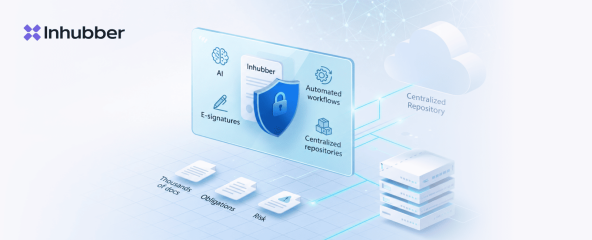
Inhubber combines secure document collaboration with the contract processes that follow in one platform.
Documents can be centrally provided to internal and external parties, given controlled access, and connected to tasks, reviews, and approvals.
For contract documents, the platform also adds AI analysis, electronic signatures, and contract lifecycle management.
It’s especially helpful in situations where a document clearly hasn’t reached the end of its life after being uploaded or signed.
A contract can keep being used as an active object:
- monitor deadlines
- manage obligations
- assign tasks
- work with amendments
- preserve the context of related documents
That’s how a document portal becomes part of a larger digital process, rather than yet another separate system for storing files.
FAQ
A document portal is a secure digital environment that companies use to centrally provide, organize, and make documents accessible to internal and external users.
Unlike plain file storage, it can support the processes that follow: reviews, approvals, tasks, access management, and electronic signatures.
A DMS is primarily geared toward storing, structuring, searching, and managing documents.
A document portal additionally emphasizes providing documents to specific users and collaborating on them.
Modern platforms can combine both approaches.
A document portal focuses on secure work with documents.
A customer portal can cover a considerably broader range of customer processes: self-service, support, order status, and other functions.
If your main scenario involves contracts, forms, approvals, and electronic signatures, a document portal can be enough.
A data portal is more geared toward the structured provision of information to different user groups and organizations.
A document portal focuses more on the actions around a specific document: provision, review, approval, signature, and tracking changes afterwards.
Rather than sending files by email, it’s better to use a secure platform with controlled access rights.
That way a company can define exactly who has access to which documents, and prevent the uncontrolled distribution of copies.
Yes. A modern document portal can connect document processes with electronic signatures.
That lets you move a document through review and approval and then send it for signature, without switching into a separate workflow.
An audit trail is the history of the relevant actions around a document.
It can show who performed which actions, when they took place, and which steps are already complete.
That kind of history helps with internal reviews, compliance processes, and questions that come up later.
A document portal can provide the technical functions needed to protect personal and confidential data: encryption, access management, roles, and other measures.
Actual GDPR compliance, however, depends not only on the software, but also on how the system is specifically used and on the company’s own organizational processes.
That depends on the scenario.
For straightforward file exchange, cloud storage can be enough.
But if a company needs controlled external access, approvals, electronic signatures, an audit trail, and ongoing contract management, a more comprehensive solution that connects document management with contract lifecycle management is worth considering.
In many processes, yes.
Instead of sending a new copy after every change, everyone involved gets access to one centrally stored document.
That reduces duplicates, simplifies version control, and makes it clearer which document people should be working with.